I needed to get a clone of a Jetson nano in which I have some software installed
Get the device to recovery mode
First the device needs to be connected in the USB recovery mode. This forum post says you need to jump both reset and recovery pins, but I only needed the reset pin
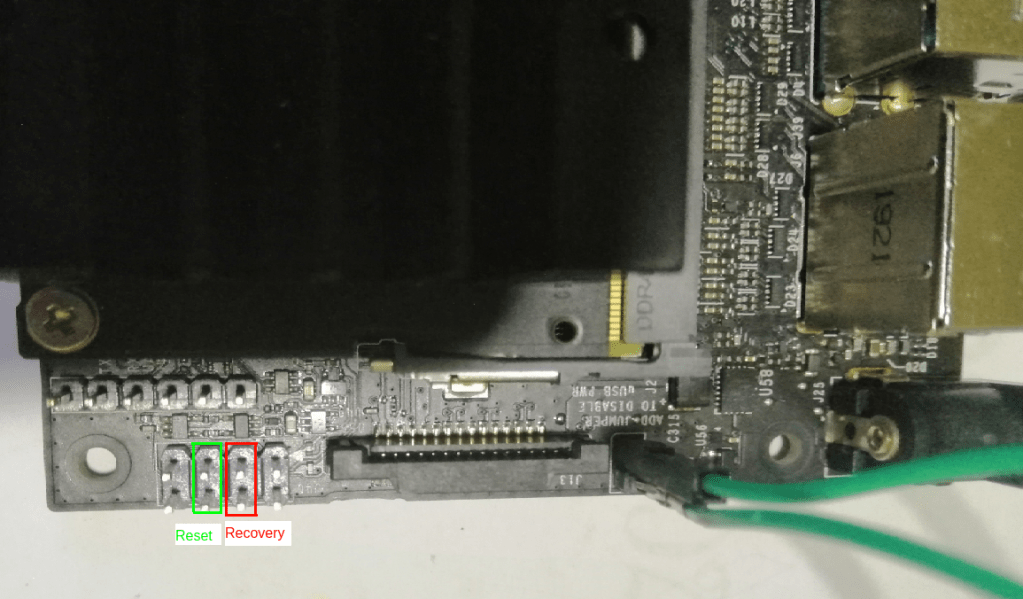
- Jump the J48 power select pins (Jumped with the green wire)
- Connect the board to the PC
- Jump the recovery pins (Marked)
- Power up
- Remove the recovery pin jumper
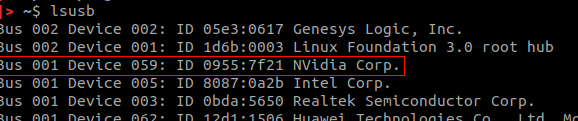
Now the USB device must be available. Check lsusb
Flash it
Jetson SDK manager (I used 1.2.0) can be used to download the files needed to flash
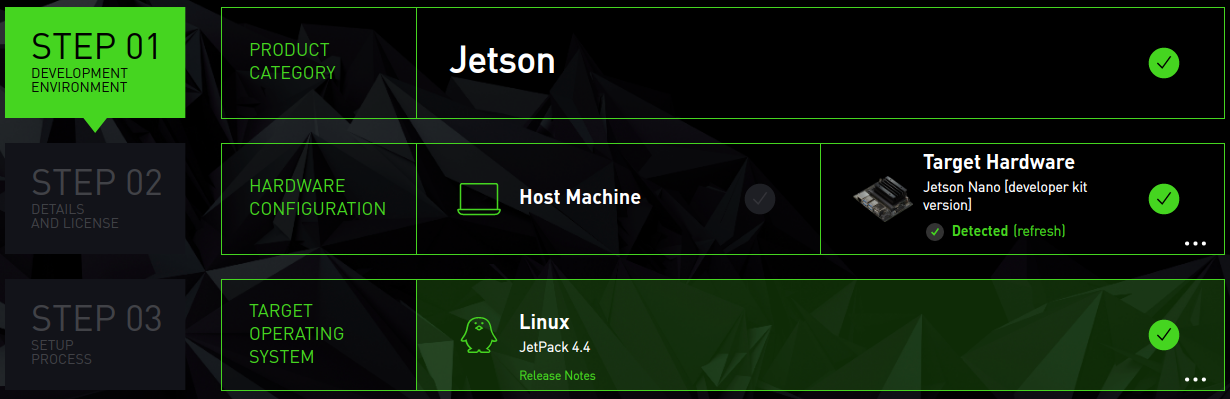
- Deselect Host machine (Not needed for this task)
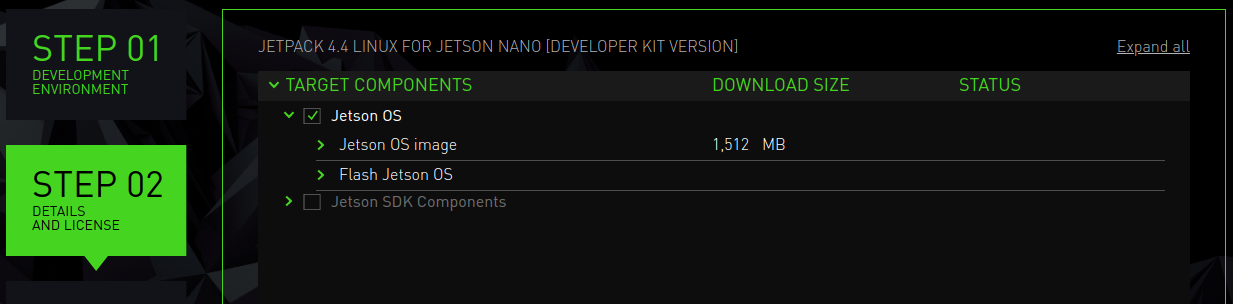
- Deselect Jetson SDK components (Not needed for this task)
When the download is finished, the files will be available under “~Downloads/nvidia/sdkm_downloads“. In there I have,
- Root file system – “Tegra_Linux_Sample-Root-Filesystem_R32.4.3_aarch64.tbz2”
- Image and tools – “Jetson-210_Linux_R32.4.3_aarch64.tbz2”
They need to be extracted using sudo and apply binaries to the rootfs directory. Do the following
cd  ~/Downloads/nvidia/sdkm_downloads
sudo tar xpf Jetson-210_Linux_R32.4.3_aarch64.tbz2
cd Linux_for_Tegra/rootfs/
sudo tar xpf ../../Tegra_Linux_Sample-Root-Filesystem_R32.4.3_aarch64.tbz2
sudo ./apply_binaries.sh
Now the flash command can be issued to get a backup image. It goes like this
# sudo ./flash.sh -r -k APP -G <image_name> <board_name> mmcblk0p1The board name* can be jetson-nano-qspi-sd, jetson-nano-qspi, jetson-tx1, jetson-tx2 or jetson-xavier depending on the board (reference: quick start guide) So for me with a sd card nano, the command is
sudo ./flash.sh -r -k APP -G backup.img jetson-nano-qspi-sd mmcblk0p1*My question on Jetson developer forums when I got the board name wrong
My flashing process stopped midway since the nano board turned off suddenly. Maybe because I used a 2A power supply. I’ll update this when I get a better one and test it out. Right now can’t get the board powered up with the same supply (works with USB though)
 Notes to my future self